Quotas and limits
Malva runs on shared compute, so searches are metered per user to keep the platform fair and responsive.
Your daily quota
Every account receives a number of searches it can run per day. The default for free accounts is 50 searches a day.
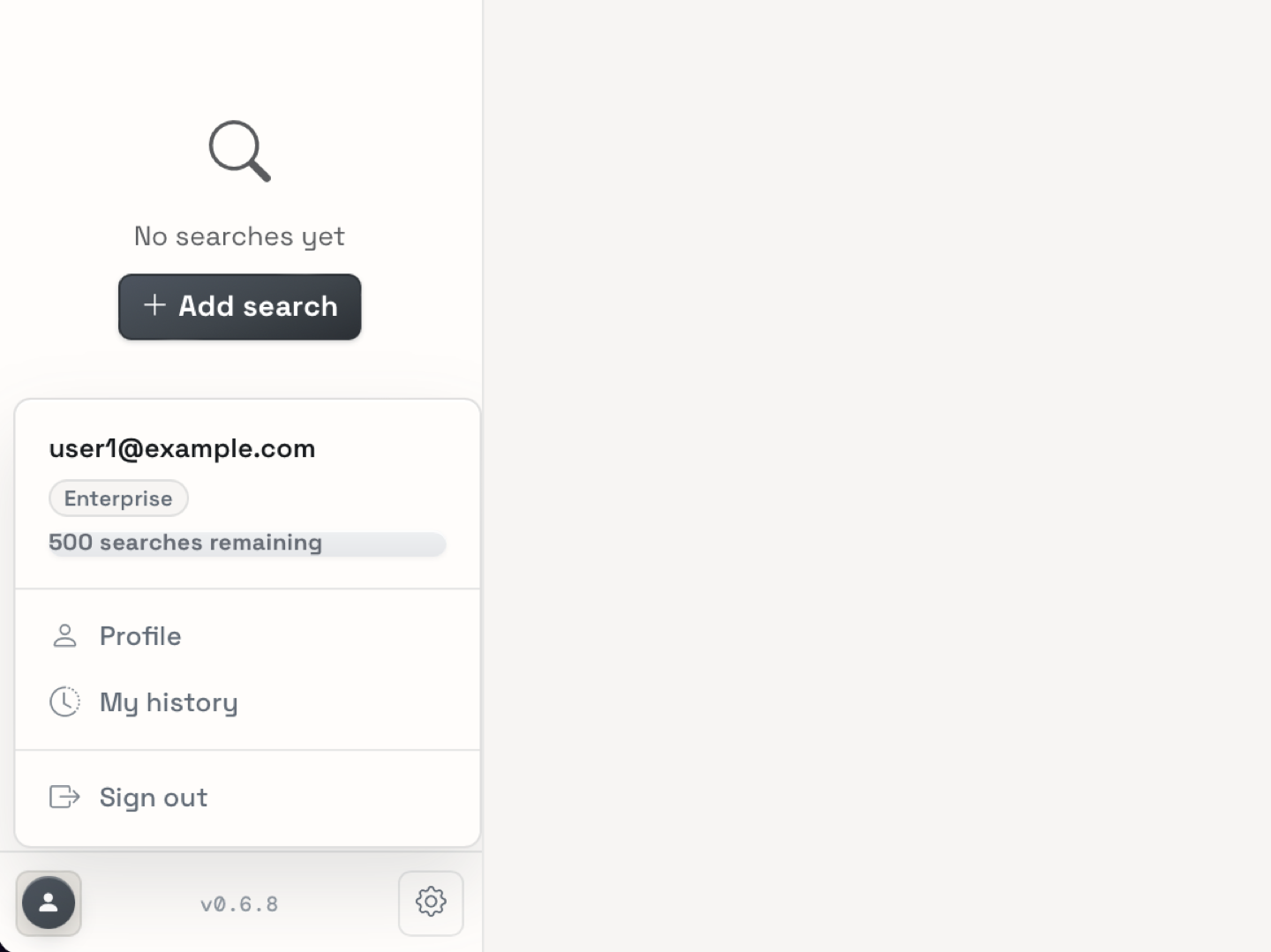
- The badge in the navbar shows how many searches you have left today, for example "38 searches remaining today".
- The quota resets automatically each day. When it runs out, you see a notice and cannot submit new searches until the next reset.
- If you run out, you can still open, filter, share, and export existing results. Only new searches count against the quota.
What counts as one search
A search is a single submission in the Expression Explorer or the Coverage Explorer. Clicking Search consumes exactly one unit of your quota.
The number of units does not depend on the size of the query. A search that contains ten genes, one FASTA file, or a whole genomic region still consumes a single unit.
What does not consume quota?
Opening a result, applying filters, exploring the metadata catalog, sharing a link, downloading an export, and revisiting a finished job from your history all work without consuming quota. Only new search submissions are metered.
Account types
| Account type | Default daily quota |
|---|---|
| Free | 50 searches per day |
| Premium | 100 searches per day |
| Enterprise | 500 searches per day |
Your account type is assigned to your profile. The badge always reflects the allowance for your current account.
Artifact limits
Besides the search quota, every search is limited in what it returns, so result pages stay responsive:
| Limit | Value |
|---|---|
| FASTA sequences per search job | 10 |
| FASTA sequences in total, per user | 20 |
| Bases per pasted sequence | 10,000 bp |
| Cell groups in the Analysis workspace | 100 |
| Samples per bulk download | 50 |
When you paste more sequences than a job allows, only the first ones are used, and the interface shows a notice in the search card. See Running a search for how these limits apply.
Why do these limits exist?
Malva indexes tens of thousands of single-cell samples. Limiting the number of sequences, groups, and downloads keeps every result page fast to load and fair for all users on the same shared infrastructure.
Where to see your quota
The remaining quota for today appears:
- in the navbar badge, on every page,
- in the sidebar of the Expression Explorer and the Coverage Explorer,
- on your profile page.
Links to quotas from elsewhere
Every page that submits a search mentions the quota. If you hit the limit, return here to check your allowance, or use your API token from a script and respect the same daily limits.